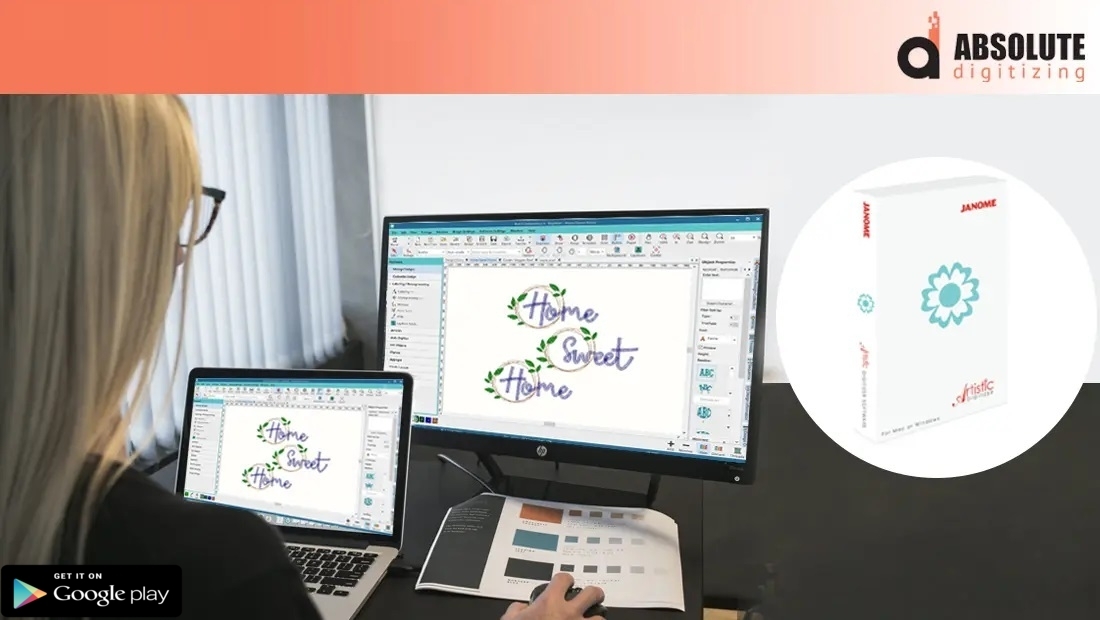
Janome Embroidery Design Software: Complete Guide
 By sgiinternational22467858716
Invalid date
9 minutes, 18 seconds
576 views 0 comments 0 likes 0 reviews

Have you ever wanted to turn your artwork into beautiful embroidered designs without spending hours figuring out complicated settings...
Janome Embroidery Design Software
Have you ever wanted to turn your artwork into beautiful embroidered designs without spending hours figuring out complicated settings? The right embroidery software can make that process much easier. If you're exploring Janome embroidery design software, understanding its capabilities can help you create cleaner, more professional embroidery projects.
Whether you're a hobbyist personalizing gifts or a business producing custom apparel, embroidery software is the bridge between your creative ideas and your embroidery machine. It allows you to edit designs, adjust stitch settings, and prepare embroidery files that stitch smoothly.
In this guide, you'll learn what Janome embroidery design software is, its key features, how it works, and practical tips to improve your embroidery results.
What Is Janome Embroidery Design Software?
Janome embroidery design software is a digital tool used to create, edit, customize, and prepare embroidery designs for compatible embroidery machines.
Instead of manually planning every stitch, the software provides tools to:
-
Convert artwork into embroidery designs
-
Edit existing embroidery files
-
Resize and rotate designs
-
Add lettering and monograms
-
Adjust stitch density
-
Preview stitch simulations
-
Organize thread colors
It helps transform creative ideas into machine-ready embroidery files.
Why Use Embroidery Design Software?
Embroidery machines require stitch instructions—not ordinary images.
Embroidery software makes it possible to:
-
Create custom embroidery designs
-
Modify existing patterns
-
Improve stitch quality
-
Reduce embroidery errors
-
Save time during production
Without embroidery software, producing professional-quality custom designs becomes much more difficult.
Key Features of Janome Embroidery Design Software
Modern embroidery software offers a variety of tools that simplify the design process.
Design Editing Tools
Users can easily:
-
Resize designs
-
Mirror artwork
-
Rotate objects
-
Combine multiple designs
-
Delete unnecessary elements
These editing features provide greater flexibility without starting from scratch.
Lettering and Monograms
Personalization is one of embroidery's biggest advantages.
The software allows you to:
-
Create custom names
-
Design monograms
-
Adjust letter spacing
-
Curve text
-
Resize fonts
This is especially useful for gifts, uniforms, and promotional products.
Stitch Simulation
Before stitching, the software displays a realistic preview of how the embroidery will sew.
This helps identify:
-
Thread jumps
-
Color sequence
-
Stitch direction
-
Potential design issues
A stitch simulation reduces costly production mistakes.
Color Management
Thread colors can be organized and adjusted before embroidery begins.
This makes it easier to:
-
Plan color changes
-
Reduce machine stops
-
Match branding colors
-
Improve workflow
Proper color management creates smoother embroidery production.
How to Create Designs Using Janome Embroidery Design Software
Creating an embroidery design is easier when you follow a structured process.
Step 1: Import Your Artwork
Begin with clean artwork.
Vector graphics or high-resolution images usually provide the best starting point.
Simple designs are often easier to convert into embroidery.
Step 2: Edit the Design
Clean up unnecessary details before digitizing.
Remove:
-
Tiny objects
-
Thin lines
-
Complex backgrounds
-
Small decorative elements
Simplifying artwork improves embroidery quality.
Step 3: Assign Stitch Types
Different areas require different stitch styles.
Satin Stitch
Best for:
-
Text
-
Borders
-
Narrow shapes
Fill Stitch
Ideal for:
-
Large areas
-
Solid shapes
-
Background sections
Running Stitch
Perfect for:
-
Fine outlines
-
Decorative details
-
Light accents
Selecting the proper stitch type improves the finished appearance.
Step 4: Adjust Stitch Settings
Fine-tune your design by modifying:
-
Stitch density
-
Stitch direction
-
Underlay
-
Pull compensation
-
Stitch angle
These adjustments help create cleaner embroidery on different fabrics.
Step 5: Preview Before Exporting
Always review your embroidery using stitch simulation.
Check for:
-
Overlapping stitches
-
Thread trims
-
Registration issues
-
Color order
-
Stitch sequence
Making corrections now prevents production problems later.
Tips for Better Embroidery Designs
Following a few simple habits can greatly improve embroidery quality.
Use Clean Artwork
High-quality artwork creates cleaner stitch paths and more accurate embroidery.
Avoid blurry or pixelated images.
Keep Designs Simple
Overly detailed artwork may lose clarity when stitched.
Bold shapes and clean lines generally produce better embroidery.
Test Every Design
A sample stitch-out is one of the most valuable steps.
Testing helps identify:
-
Fabric puckering
-
Thread breaks
-
Density problems
-
Alignment issues
Never skip this step.
Match Stabilizer to Fabric
Different fabrics require different stabilizers.
The proper stabilizer improves stitch quality and prevents distortion.
Common Mistakes to Avoid
Many beginners experience similar challenges.
Avoid these common mistakes:
-
Using low-quality artwork
-
Overcrowding small designs
-
Ignoring stitch density
-
Skipping underlay adjustments
-
Resizing finished embroidery files
-
Forgetting test stitch-outs
Careful preparation leads to better embroidery every time.
Why Professional Digitizing Still Matters
Even with advanced embroidery design software, creating flawless embroidery files requires experience.
At Absolute Digitizing, our skilled digitizers carefully optimize every design for clean stitching, balanced stitch density, proper sequencing, and fabric compatibility. We combine advanced technology with expert craftsmanship to deliver embroidery files that produce outstanding results while minimizing production issues.
Whether you need logo digitizing, custom embroidery files, or design optimization, our team ensures your embroidery projects meet professional standards.
Benefits of Using Janome Embroidery Design Software
Choosing the right embroidery software offers several advantages.
Some of the biggest benefits include:
-
Faster design creation
-
Improved customization
-
Better stitch previews
-
Easier lettering and monograms
-
Greater control over embroidery settings
-
Increased production efficiency
-
Professional-looking embroidery results
These features make embroidery projects easier and more enjoyable for beginners and experienced users alike.
Conclusion
Janome embroidery design software provides a powerful way to create, edit, and customize embroidery designs with greater accuracy and efficiency. From preparing artwork to adjusting stitch settings and previewing designs before production, the software helps simplify the embroidery process while improving overall quality.
While software offers excellent creative tools, professional digitizing expertise remains essential for achieving the highest-quality embroidery on complex designs. With careful planning, regular testing, and support from Absolute Digitizing, you can confidently create embroidery projects that look polished, professional, and ready to impress.
FAQs
1. What is Janome embroidery design software used for?
Janome embroidery design software is used to create, edit, customize, and prepare embroidery designs for machine stitching, including lettering, resizing, and stitch adjustments.
2. Can beginners use Janome embroidery design software?
Yes. Many of its features are beginner-friendly, making it easier to learn embroidery design while offering advanced tools for experienced users.
3. Can I convert regular images into embroidery designs?
Yes, but images must be digitized into stitch data before they can be embroidered. Simply importing a JPG or PNG is not enough.
4. Why should I preview my embroidery design before stitching?
A stitch simulation helps identify issues like thread jumps, incorrect color order, density problems, and stitch sequencing before production begins.
5. How can Absolute Digitizing improve my embroidery projects?
Absolute Digitizing provides professionally digitized embroidery files optimized for stitch quality, fabric compatibility, and machine efficiency, helping you achieve clean, reliable, and high-quality embroidery results every time.

Blogs

Albums

